Which attendance machine is right for a restaurant? For most restaurants in Dubai, a face recognition terminal is the better choice. Kitchen staff clock in with wet, oily or gloved hands, floor staff arrive in a rush at shift change, and nobody in a food business wants a shared touch surface at the staff entrance. A face recognition time attendance system handles all three without anyone touching the device. Fingerprint machines still suit small cafes where hands are usually clean and dry, but the moment a kitchen is involved, face recognition saves daily frustration and missed punches.
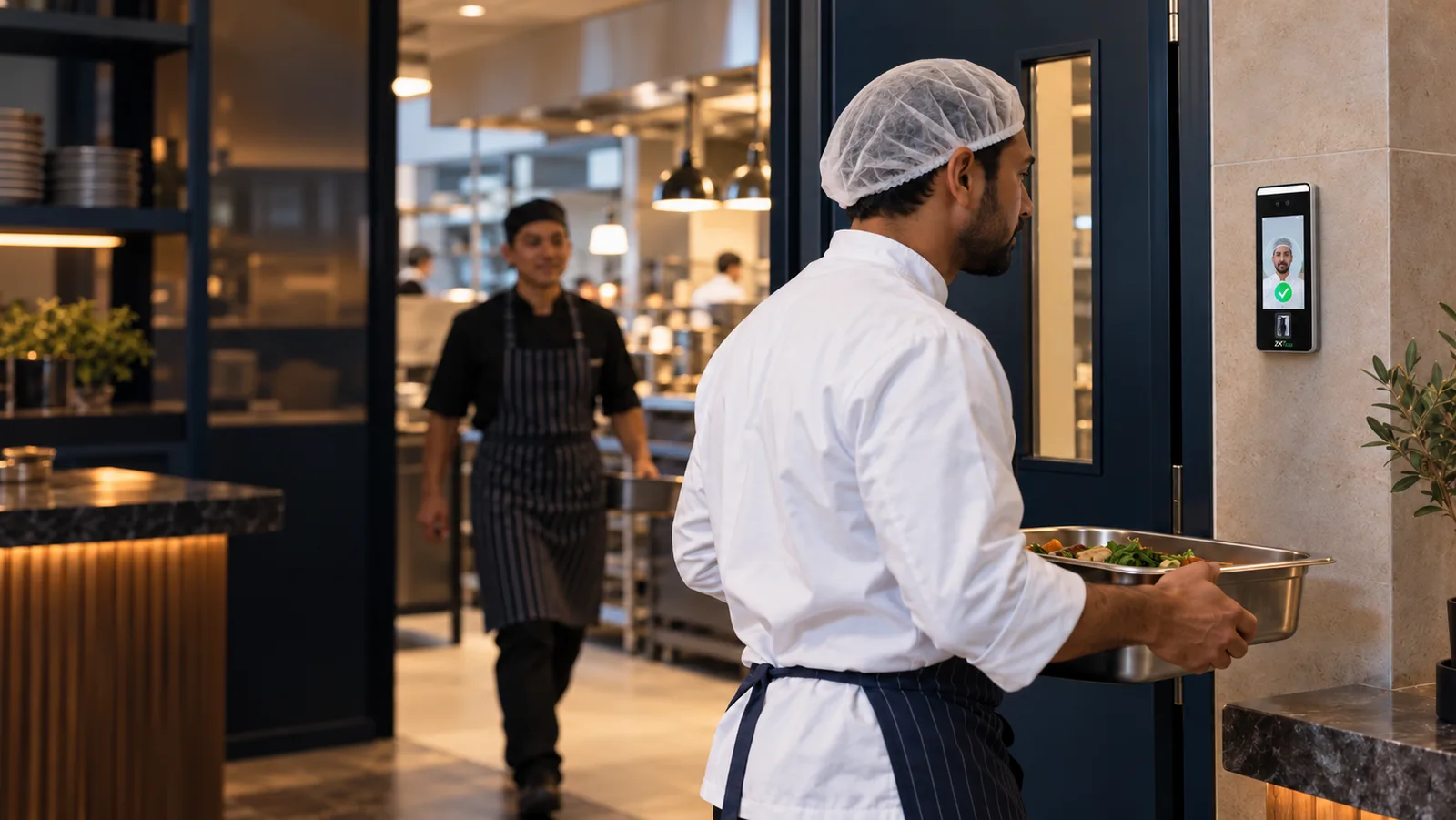
This guide compares the two biometric machine types for restaurant use, shows which staff each one suits, and explains the terminal we usually recommend and where to mount it.
Why Restaurants Are Hard on Attendance Machines
A restaurant is not an office. The same staff attendance system that works perfectly at a reception desk can struggle at a kitchen back door, for reasons that have nothing to do with the device's quality.
- Wet, oily or floury hands. Fingerprint sensors need a clear, dry print. A line cook coming off prep, or a dishwasher mid-shift, often cannot get a clean read on the first try, so people queue and retry, or give up and ask a manager to fix the record later.
- Gloves. Food handling gloves have to come off to use a fingerprint reader and go back on afterwards. Staff skip the punch instead.
- Crowded shift changes. Lunch and dinner teams arrive and leave within minutes of each other, so the terminal needs to clear a queue quickly.
- Split shifts and part-timers. Morning prep, a break, then dinner service. Casual staff who work two or three days a week. The attendance software has to handle this, not just the machine.
- Hygiene. A touch-free reader at the staff entrance is one less shared surface in a food environment.
- Several outlets. Many restaurant groups in Dubai run multiple branches and move staff between them, so records from every outlet need to land in one place.
Fingerprint vs Face Recognition for Restaurant Staff
| Fingerprint attendance machine | Face recognition attendance machine | |
|---|---|---|
| Wet, oily or gloved hands | Often fails or needs retries | Not affected |
| Touch-free | No, everyone touches the sensor | Yes |
| Queue at shift change | One person at a time, with retries | Staff walk up and are recognised |
| Caps and hair nets | No effect | No effect; the face stays visible |
| Setup | Enrol one or two fingers per person | Enrol a face photo per person |
| Backup method | Card or PIN | Card, fingerprint or PIN on the same device |
| Cost | The lower-cost option | Higher device cost |
| Suits | Small cafes, bakeries with a front counter only, offices | Restaurants with a kitchen, cloud kitchens, hotels, catering |
For a fuller comparison that also covers RFID cards, see our guide to biometric vs RFID vs face recognition attendance.
Which Staff Each Option Suits
| Staff group | Better option | Why |
|---|---|---|
| Kitchen: chefs, cooks, stewards | Face recognition | Hands are wet, greasy or gloved for most of the shift |
| Floor: waiters, hosts, cashiers | Either, face preferred | Hands are usually clean, but shift-change queues are long |
| Managers across branches | Face recognition with one user list | One enrolment works at every outlet with the same software |
| Small cafe with 5 to 10 staff | Fingerprint | Simple, low cost, hands mostly dry |
If your business is a cafe, bakery or juice bar with no hot kitchen, a fingerprint attendance machine is still a sensible choice. If you run a full kitchen, go with face recognition.
Our Recommendation: ZKTeco SpeedFace V5L
The terminal we most often recommend for restaurants is the ZKTeco SpeedFace V5L. It is a face recognition device that also accepts fingerprint, palm, card and password, so a restaurant can use face as the everyday method and keep a card or PIN as a backup for staff who, for any reason, cannot be read on a given day. Its features include:
- Face, fingerprint, palm, card and password verification on one device
- A 5-inch colour touchscreen for clear on-screen feedback at a busy entrance
- A 2MP WDR low-light camera, which matters in dim back-of-house corridors
- Network (TCP/IP) and Wi-Fi connection, so it can go on a wall with no network cable
- A 1-year warranty
Face recognition attendance packages start from AED 2,000 + VAT, and your quotation names the exact model and what is included, because we choose the device for the site rather than the other way round. For the full picture of what the package covers, see our face recognition attendance system page.
Where to Mount the Terminal in a Restaurant
Placement decides whether the machine gets used. The points we check at the survey:
- Staff entrance, not the customer door. The terminal goes where staff actually enter, usually the back door or the corridor to the changing area.
- Away from steam, grease and heat. Not beside the dishwasher or under the extraction hood. A corridor wall or the entrance lobby is better for the camera and for the device's life.
- Steady lighting. The low-light camera helps, but a face terminal works more reliably with even light and no strong backlight from a glass door behind the person.
- Height for your team. Mounted so that both the shortest and tallest staff are in frame without stooping or stretching.
- Power and network. Wi-Fi is fine for a single outlet; for a group of branches we usually prefer a cabled connection so records sync without fail.
Shifts, Split Shifts and Payroll
The machine records who came and went. The attendance software turns that into hours, and this is where restaurants need more than a basic device report:
- Split shifts and rotating rosters need shift rules so that a 10 am to 2 pm and 6 pm to 11 pm day is counted correctly.
- Part-timers and casuals need their own schedules rather than a standard 9 to 6.
- Overtime during Ramadan, festivals and events should be flagged for review, not calculated by hand.
- Multiple outlets need one combined report, with staff who moved between branches shown once.
For these, we connect the terminal to HRX360, which handles shifts, leave, overtime review, employee self-service and payroll export, and is priced separately from the device. Our guide to attendance machine payroll integration explains how the records reach the payslip. For how working hours, breaks and overtime must be recorded for your staff, check with MOHRE or your legal adviser.
What a Restaurant Installation Involves
- Site survey. We look at the staff entrance, lighting, power and network, and count the staff across shifts.
- Device and software choice. Face recognition for a kitchen operation; fingerprint for a small front-counter cafe.
- Installation. Mounting, power, network or Wi-Fi setup and a test punch.
- Enrolment. Each employee's face (and backup card or PIN) is enrolled once; new joiners are added by your manager or by us.
- Shift setup and training. Shift patterns, break rules and reports are configured, and the manager is shown how to run them.
Most single-outlet installations are completed in one visit. For a group of branches we schedule the outlets so each goes live with the same user list and rules.
Frequently Asked Questions
Which attendance machine is suitable for a restaurant?
A face recognition time attendance terminal suits most restaurants, because it works with wet, oily or gloved hands, needs no touching and clears a shift-change queue faster than a fingerprint reader. A fingerprint machine remains a good low-cost option for small cafes without a hot kitchen.
Does face recognition work with chef hats, caps and hair nets?
Yes, in normal use. Hats, caps and hair nets cover the hair, not the face, so the terminal still reads the person. Face masks that cover the nose and mouth do interfere, so if your kitchen staff wear masks on shift, we test the terminal with your uniform at the survey and set up a card or PIN backup.
Can kitchen staff clock in with gloves on?
With a face recognition terminal, yes, because nothing has to be touched. With a fingerprint machine, gloves must come off for every punch, which is the main reason kitchen punches get missed.
Can one attendance system cover several restaurant branches?
Yes. Each outlet gets its own terminal, and the software holds one user list and one set of reports, so staff who move between branches are enrolled once and appear once in the reports. We plan the network for this at the survey.
Is biometric attendance allowed for restaurant staff in the UAE?
Biometric attendance is widely used in the UAE. Face and fingerprint data are personal data, so tell staff what is collected and why, keep access to records limited, and ask how the terminal stores templates. For your specific obligations on records, working hours and consent, check with MOHRE or your legal adviser.
Does the terminal need internet to record attendance?
No. The terminal stores punches on the device and sends them to the software when the network is available. Internet is needed to sync records across branches and for cloud reports, so for a group of outlets we prefer a cabled connection.
Planning Attendance for Your Restaurant?
E Concept supplies, installs and configures ZKTeco and Hikvision biometric attendance systems for restaurants, cafes, cloud kitchens and hotel outlets across Dubai and the UAE. Tell us how many staff you have, how many outlets and whether you run split shifts, and we will recommend the right terminal and send a quotation.
Explore Face Recognition Attendance · Request a Free Site Survey · Contact Us · WhatsApp Our Team